Text Generator Guide
Guides
How to Use the Text Generator
The Text Generator turns words into cross-stitch patterns. Type in a name, a date, a short quote — whatever you like — pick a font, choose your colours, and you've got a pattern ready to stitch. It's one of the quickest ways to create something personal.
Typing your text
- Go to the Text Generator page.
- Type your text into the input box at the top of the left panel. You can enter up to 100 characters.
- The preview will update as you type, so you can see exactly what your pattern will look like.
Tip: Shorter text works best for cross-stitch. A single name, a date, or a short phrase like "Home Sweet Home" will give you a much cleaner, more stitchable result than a long sentence.
Choosing a font
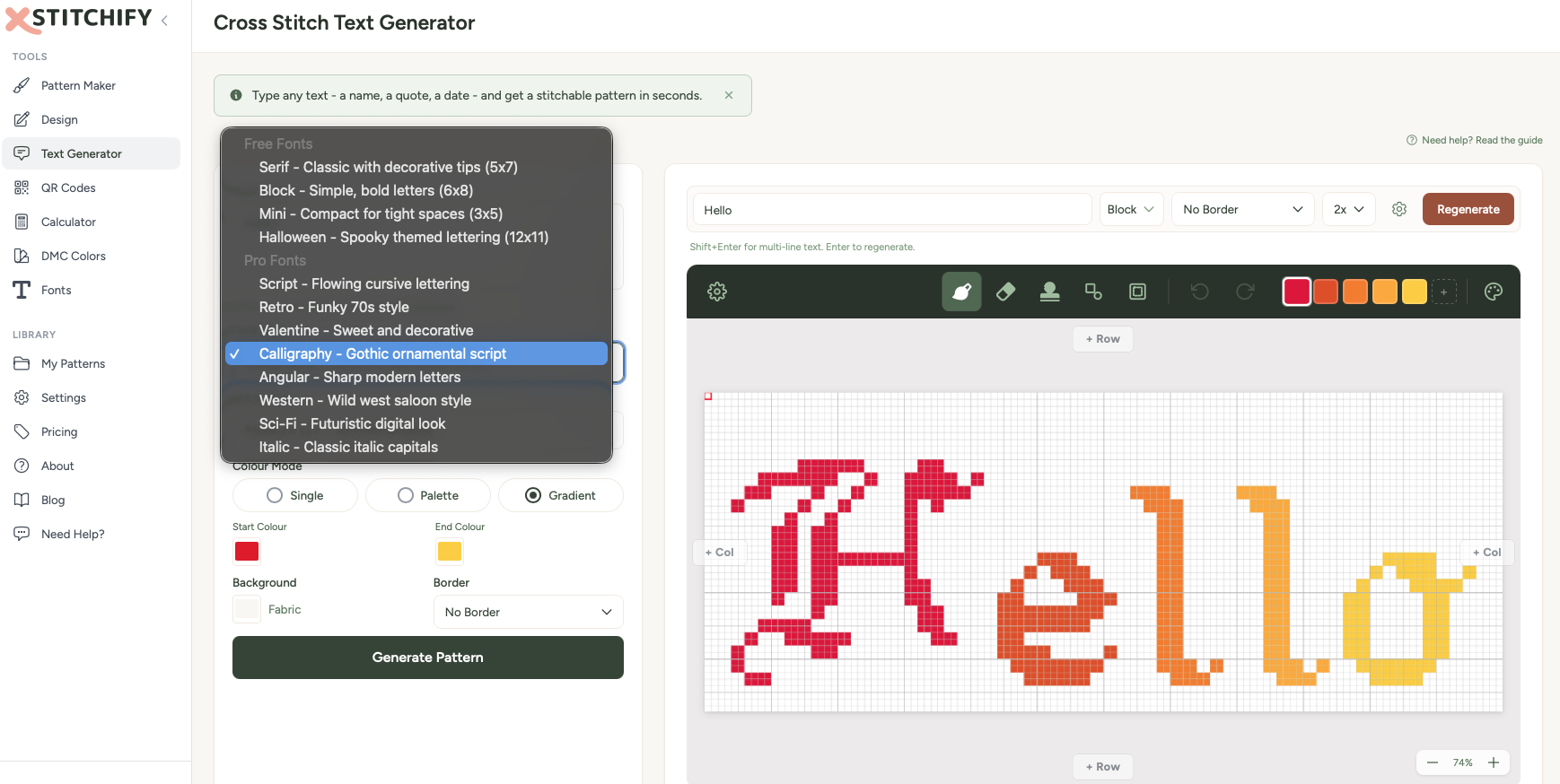
The font selector shows you all the available cross-stitch font styles. Each one has a different character — from elegant scripts to bold block letters. Click through them to see how your text looks in each.
Some fonts are available to everyone, and some are unlocked with a paid plan or during your free trial. You can preview all of them regardless.
Want to see all the fonts at a glance? Check out the fonts page for a full visual reference.
Colours and sizing
Thread colours
You can choose how your text is coloured:
- Single colour — pick one thread colour for the entire text. Classic and clean.
- Colour palette — apply a range of colours across your text for a more decorative look.
- Gradient — blend smoothly between colours from one end of your text to the other.
Click the colour swatches to change them. All colours are matched to real DMC thread numbers, so you'll know exactly what to buy.
Stitch size
The size control adjusts how large each letter is in stitches. Bigger text means more detail in the letterforms but a larger finished project. Smaller text is quicker to stitch but some font details may be simplified.
Saving and downloading
Once you're happy with your text pattern:
- Click Save to Library to keep it in your account for later.
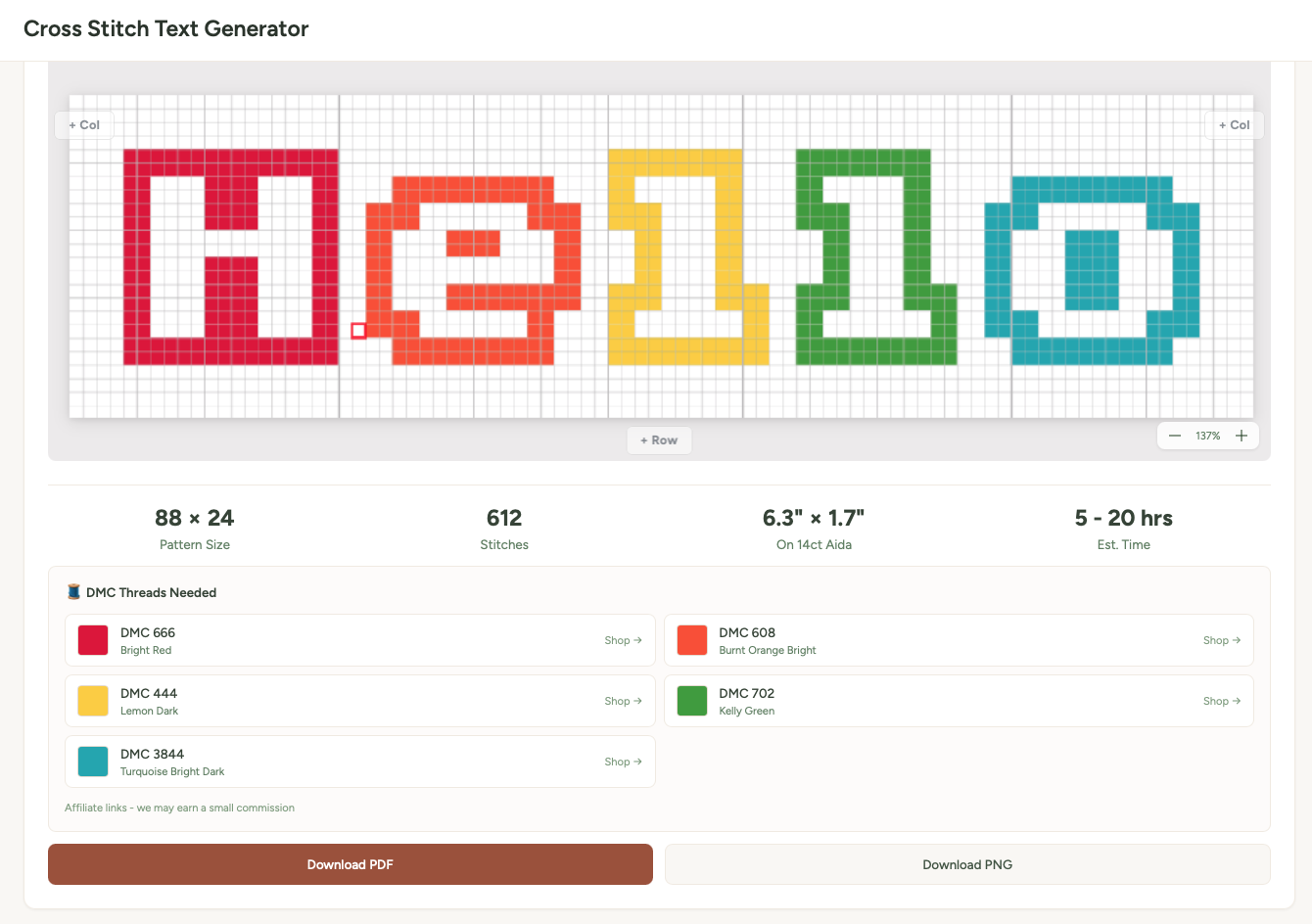
- Or click Download to grab the pattern right away as a PDF or PNG.
- The PDF includes the full chart with symbols, a thread colour key, and stitch counts — everything you need to start stitching.
Tips for great text patterns
Keep it short. Cross-stitch letters take up more space than you'd think. "Love" works brilliantly. "All you need is love and a cup of tea" might be a bit ambitious for a bookmark.
Try different fonts. The same word can look completely different in a block font vs a script font. Have a play — it only takes a second to switch.
Single-colour text is timeless. While gradients and palettes are fun, a simple dark thread on light fabric is the classic cross-stitch look for good reason. It's elegant and easy to stitch.