QR Generator Guide
Guides
How to Use the QR Generator
Yes, you read that right — you can stitch a QR code that actually scans. The QR Generator creates cross-stitch patterns from URLs, WiFi passwords, or any text. When you stitch it with high-contrast thread, phones can scan it right off the fabric. It's genuinely one of the most fun things you can make.
What you can encode
The QR Generator has three tabs for different types of content:
- URL — enter any web address. When someone scans your stitched QR code, it opens that link on their phone.
- WiFi — enter your network name, password, and security type. Scanning the finished piece connects their phone to your WiFi automatically. No more spelling out passwords for guests.
- Text — enter any plain text. It'll display on their phone when scanned.
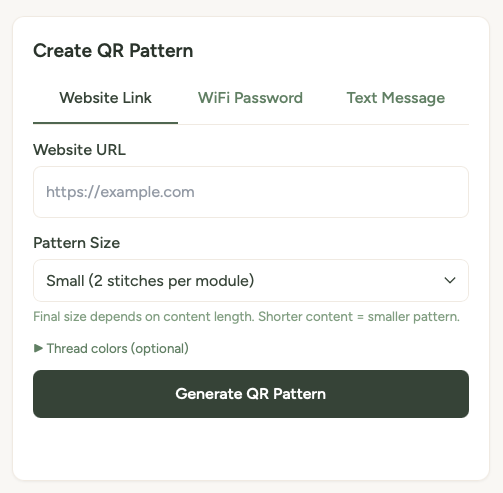
Creating a QR pattern
- Go to the QR Generator page.
- Choose your tab (URL, WiFi, or Text) and enter the content.
- Pick your pattern size — this controls how many stitches wide the QR code will be.
- Choose your colours. By default it's black and white, which gives the best scanning results.
- Click Generate QR Pattern.
- Your pattern appears with a preview, thread list, and download buttons.
Choosing colours
You can pick any colours you like for the foreground (the dark squares) and background (the light squares). The advanced colour picker lets you choose from DMC thread colours.
But here's the important bit: the higher the contrast between your two colours, the better your QR code will scan. Black and white is the gold standard. Very dark navy on white works too. Pastel pink on cream? That's going to be tricky for a phone to read.
Rule of thumb: If you'd struggle to see the pattern from a few feet away, a phone camera will struggle too. Stick to a very dark colour on a very light colour for reliable scanning.
Testing your QR code
Before you commit hours of stitching, test the QR code. The preview on screen should scan with your phone camera. Open your camera app, point it at the screen, and check that the link or WiFi connection works correctly.
If it doesn't scan from the screen, it won't scan when stitched either — so adjust your colours or content and try again.
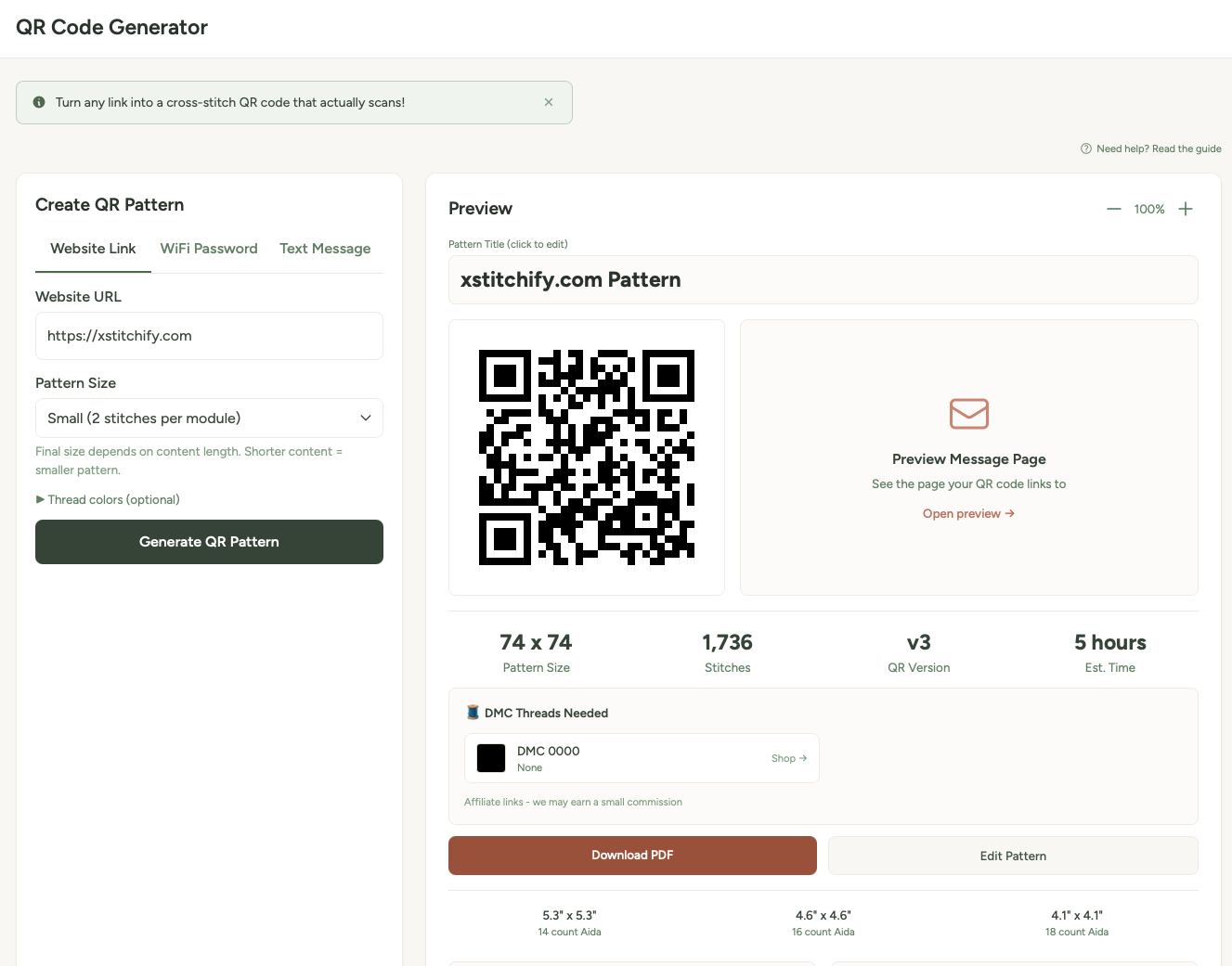
Fun ideas for QR patterns
- WiFi password for guests — stitch it, frame it, hang it by the door. No more "what's the WiFi password?" ever again.
- Rick Roll — you know you want to. Stitch a QR code that links to "Never Gonna Give You Up" and frame it innocently on the wall.
- Wedding or party photos — link to a shared photo album. Stitch the QR code onto a wedding sampler or party favour.
- Your website or portfolio — a stitched QR code for your business card or craft fair display.
- Secret messages — use the text tab to encode a hidden message. Only people who scan it will know what it says.
Tips for successful QR stitching
High contrast is everything. Black (DMC 310) on white (B5200) is the most reliable combination. If you want colour, go very dark on very light.
Test before you stitch. Always scan the on-screen preview with your phone first. If it works on screen, it'll work in thread.
Keep URLs short. Shorter content makes simpler QR codes with fewer stitches. Use a URL shortener if your link is long.