Pattern Library Guide
Guides
How to Use the Pattern Library
The Pattern Library is where all your saved patterns live. Think of it as your personal collection — any pattern you create and save ends up here, ready to re-download, edit, or rename whenever you need it.
Saving patterns
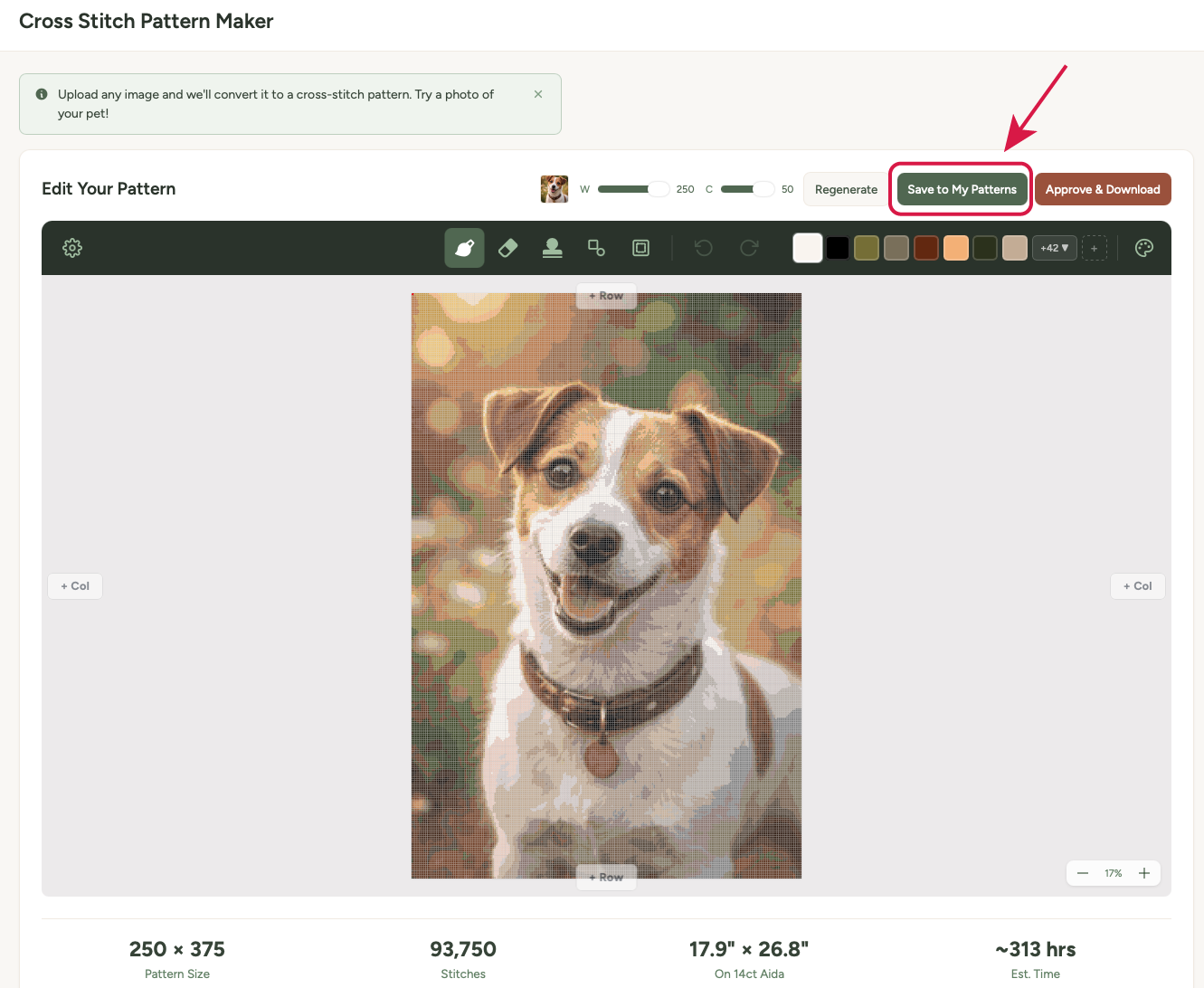
You can save a pattern from any of the tools — the Pattern Maker, Text Generator, QR Generator, or Designer. Just look for the Save to Library button after you've generated or created a pattern.
- Create your pattern using any of the tools.
- Click Save to Library (you'll need to be logged in).
- Your pattern is saved and will appear in My Patterns.
Note: You need a free account to save patterns. If you haven't signed up yet, you'll be prompted to create one — it only takes a moment and no credit card is needed.
Viewing your patterns
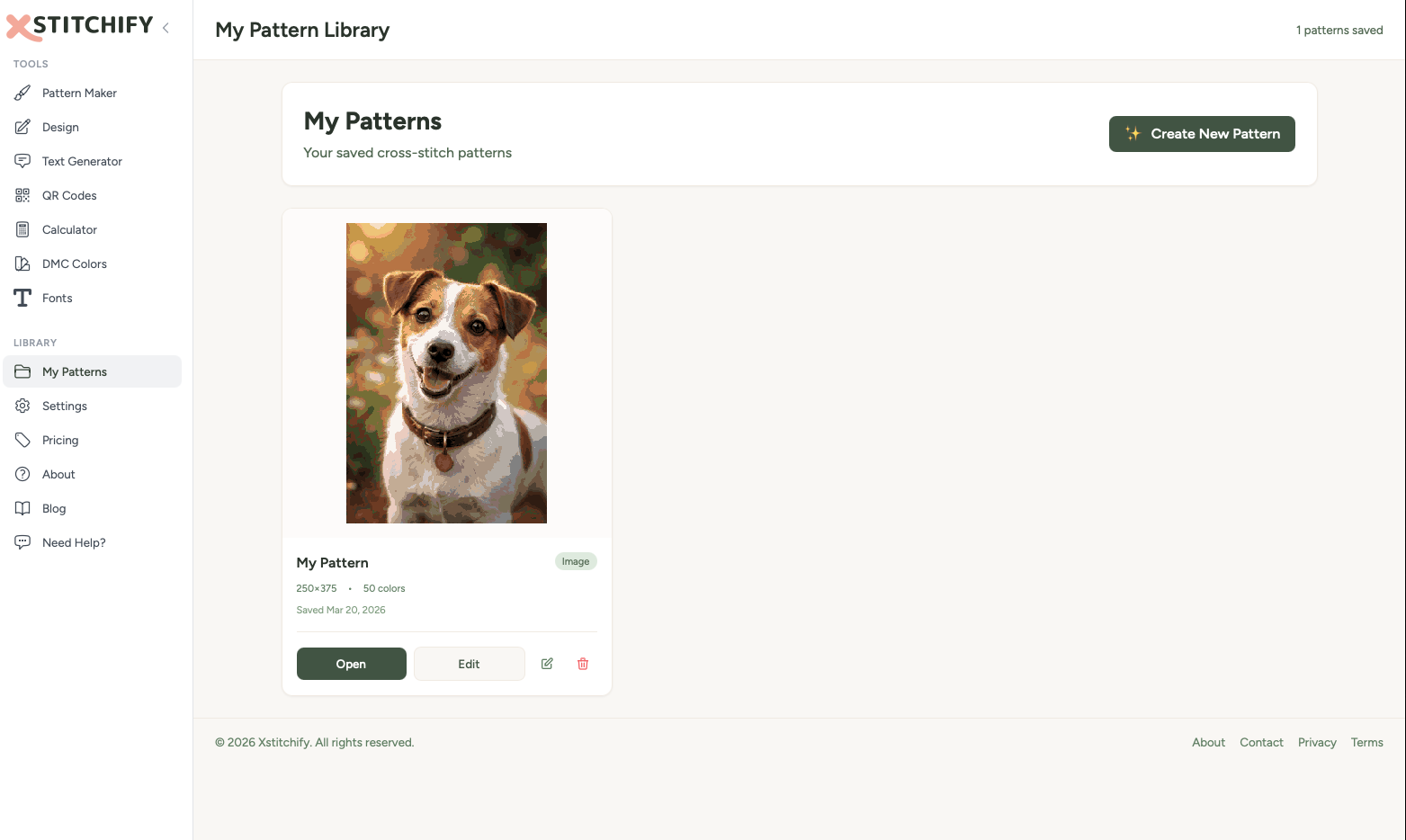
Go to My Patterns in the sidebar to see all your saved patterns. Each pattern shows a thumbnail preview, the name, and when it was created.
Click on any pattern to open it and see the full details — the chart preview, thread list, stitch count, and download options.
Re-downloading patterns
Lost a file? No problem. Open any saved pattern and you can download it again as many times as you need. Both PDF and PNG formats are available, just like when you first created it.
Editing and renaming
- Rename — click the pattern name to edit it. Handy for keeping things organised when you've got a few patterns saved.
- Re-edit — for patterns created with the Pattern Maker, you can load them back into the editor to make changes. Click Edit in Editor to pick up where you left off.
- Delete — if you no longer need a pattern, you can remove it from your library.
Free tier vs trial and paid
Here's how storage works across the different account types:
- Free accounts — you can save a limited number of patterns. This is enough to keep your current projects organised.
- Trial and paid accounts — unlimited pattern storage. Save as many as you like, and they'll all be there waiting for you.
If you hit your free limit, you'll need to either delete some older patterns to make room, or upgrade your account for unlimited storage.
Any patterns saved during a free trial remain in your library after the trial ends, even if you go back to the free tier. You can still view and download them — you just can't save new ones beyond the free limit.